
How to Plan a Film Shoot 50% Faster in 2026
Most film productions still plan pre‑production in five different tools: one for the script, another for breakdowns, a third for scheduling, spreadsheets for budgeting, and a separate app to generate storyboards. That fragmentation burns time, creates errors, and quietly inflates production teams shooting days and costs.
In 2026, an all‑in‑one AI pre‑production tool can centralize script, breakdown, scheduling, budgeting, and even storyboarding in a single workflow—helping filmmakers plan shoots up to 50% faster while keeping budgets under control.
Why Fragmented Pre‑Production Costs Time and Money
When your pre‑production lives across multiple apps and spreadsheets, three things always happen:
You duplicate work. The same scene and location data gets re‑typed into script breakdown software, scheduling tools, budgeting sheets, and call sheet templates.
You introduce errors. Every manual copy‑paste step increases the risk of missed scenes, wrong locations, and outdated page counts, which later turn into schedule and budget surprises.
You slow down decisions. Producers, line producers, and directors spend time reconciling data instead of testing scenarios and making calls.
What an All‑in‑One AI Pre‑Production Workflow Looks Like
.webp&w=3840&q=75)
A modern AI pre‑production assistant should cover your entire workflow, from first script import to call sheets and storyboards. A typical flow looks like this:
Import and write in an AI‑aware screenwriting editor
You write or import your screenplay into a standard editor that understands sluglines, scene numbers, and character cues, with AI assisting on formatting and polish.
2. Automatic AI script breakdown
The system runs an AI script breakdown to tag characters, locations, props, wardrobe, vehicles, stunts, and VFX directly from the script, giving you a first‑pass breakdown in minutes.
3. AI scheduling and digital stripboard
Breakdown data flows into an AI‑assisted scheduling module that builds shooting days based on locations, cast, day/night, and your constraints, using a digital stripboard instead of manual drag‑and‑drop. This is a great alternative to replace Movie Magic scheduling and budgeting tools.
4. Connected budgeting
Because breakdown and schedule data live in the same system, budgeting tools can pull element counts, days, and locations automatically, reducing manual data entry and missed cost drivers.
5. Automatic or assisted storyboarding
For key sequences, AI can propose basic shot lists or storyboard frames based on the script and schedule, which directors and DPs then refine.
Each step feeds the next automatically, giving you a true all‑in‑one pre‑production tool instead of a stack of siloed apps.
Where You Actually Save Time and Budget
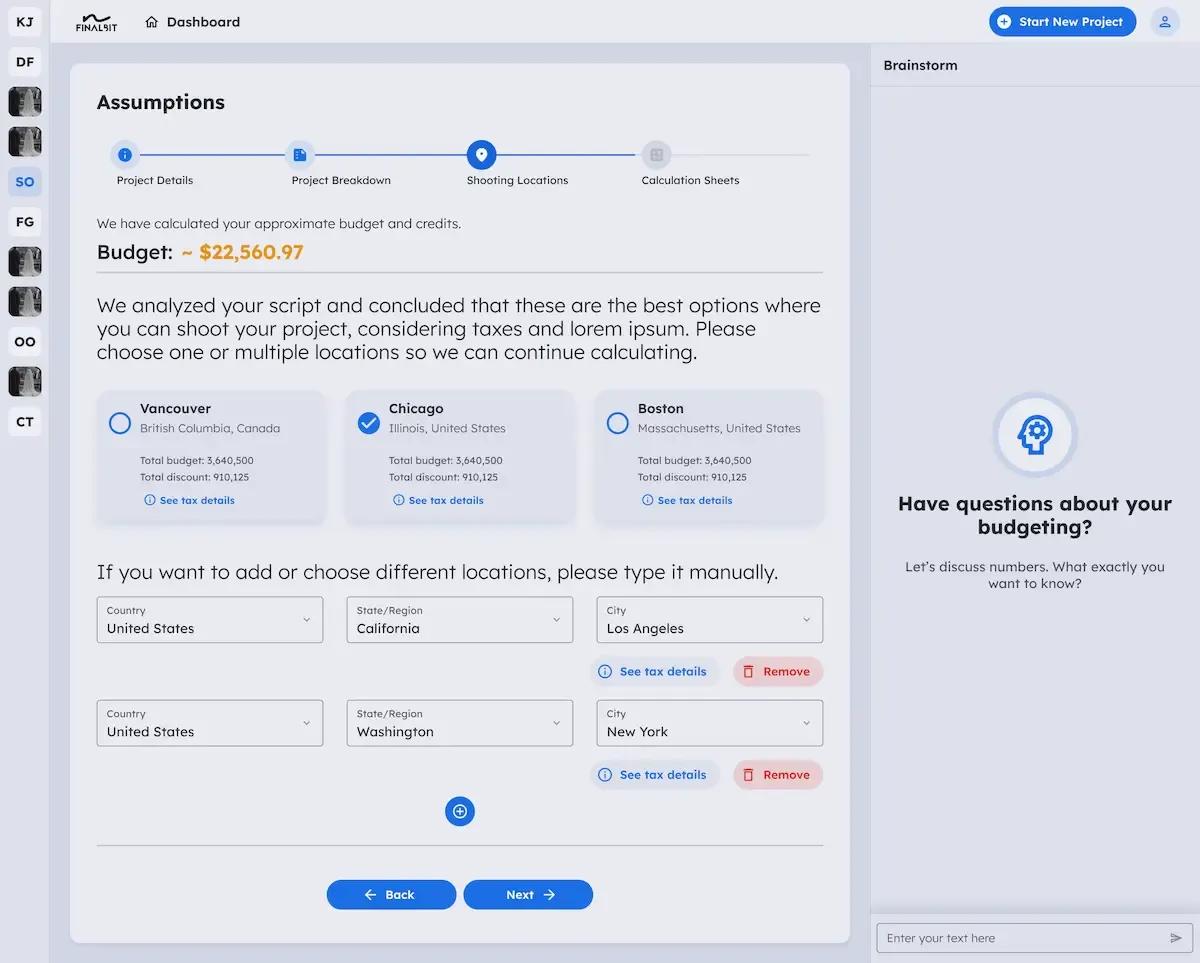
The real value of an AI‑driven pre‑production suite is not just “cool features,” but concrete savings in days and dollars.
Script breakdown:
AI can cut the initial breakdown from days to hours while giving a 70–90% accurate first pass that your team only needs to refine
Scheduling:
AI scheduling can test thousands of permutations—changing locations, cast groupings, and day/night splits—to reduce company moves and compress the schedule by 1–3 shooting days.
Budgeting:
Integrated breakdown and scheduling data make budgets more realistic and reduce last‑minute surprises, overtime, and emergency pickups
Create storyboards and plan shots:
AI‑assisted shot lists and storyboards highlight complex days in advance, so you allocate resources where they matter most.
Across competitors and case studies, pre‑production platforms consistently highlight that connected workflows can reduce planning time significantly and make schedules more efficient; AI simply amplifies those gains.
How an AI Pre‑Production Suite Replaces Your Current Tool Stack
Many teams currently juggle: Final Draft or another editor, Excel or Sheets for budgets, Movie Magic or legacy scheduling tools, plus separate apps for breakdowns and storyboards. An all‑in‑one AI pre‑production tool replaces that patchwork with one connected environment
Screenwriting & script management
instead of independent writing software.
AI script breakdown
instead of manual scene by scene breakdown in spreadsheets or separate app
AI production scheduling & digital stripboard
instead of standalone stripboard software and manual boards
Linked budgeting
instead of static Excel sheets that must be updated whenever scenes change
Storyboarding & shot planning modules
instead of separate apps that don’t talk to your schedule
By consolidating everything within a single ecosystem, you minimize context switching, lower the risk of mistakes, and make it far simpler to adjust the plan in real time when anything changes.
Migrating From Separate Tools to an AI Pre‑Production Suite
Moving an active show into a new platform can feel risky, so a staged approach works best:
Start with a single project or episode.
Import the script and run AI breakdown and scheduling alongside your existing tools, just for comparison
Compare breakdown and schedule outputs.
Measure where the AI workflow saves time and where you still want manual overrides. Generate custom breakdown sheet and DOOD reports.
Turn on budgeting and storyboarding once comfortable.
Once breakdown and schedule feel reliable, connect them to budgeting and shot planning so you see the full time and cost impact.
Standardize templates for your team.
Create standard breakdown categories, schedule templates, and budget structures inside the suite so future projects plug in quickly.
This approach lets you prove the ROI of an AI pre‑production assistant without risking your entire slate at once.
Is an All‑in‑One AI Pre‑Production Tool Right for Your Next Project?
An AI‑powered all‑in‑one film & tv pre‑production tool is usually a good fit if:
You’re juggling multiple films, episodes, or branded projects and want a repeatable pre‑production workflow.
You’re tired of re‑entering the same script data into separate breakdown, scheduling, budgeting, and storyboard tools.
You want to cut prep time and reduce the number of shooting days without sacrificing quality.
Your team is open to using AI where it’s strongest—automating repetitive tasks and surfacing better options.
You’re searching for an AI tool that delivers high quality while still aligning with your creative vision
From a free script breakdown to an AI storyboard generator, FinalBitAI helps transform your vision into reality.